Customer PortalThe New GO! Customer Portal Is Live. Shipping Is Now Even Easier.
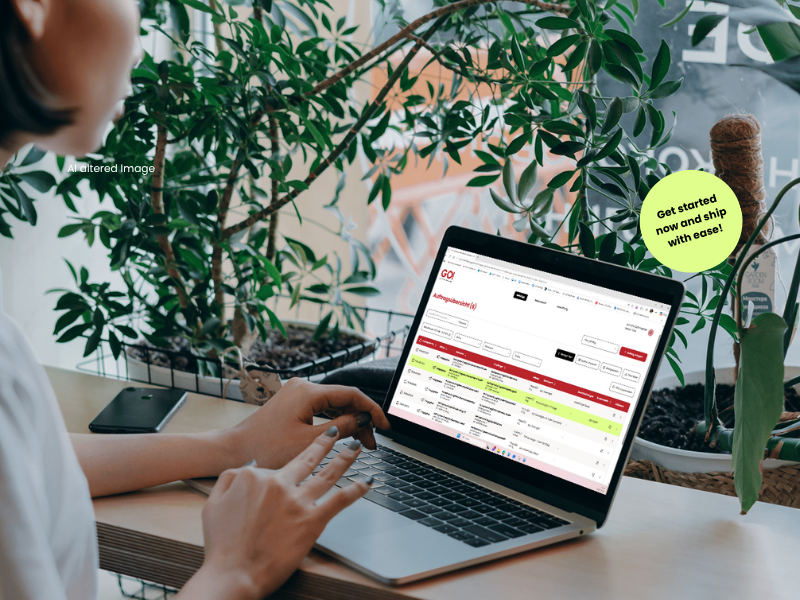
Manage, track, and ship your consignments in a new, even more user-friendly customer portal. Benefit from new features, a central access point for your shipping services, and a modern platform for managing your shipments. Register now or contact your GO! station to obtain your personal access credentials.

Features & ReleasesLatest Features and Release Notes
Features & Releases Latest Features and Release Notes
New Features
- Shared Address Books: Address books can be managed centrally and shared with other customer accounts.
- Address Book: Pickup times can be applied to all weekdays with a single click.
- User Profile: Personal information such as name, phone number, or sender address can be maintained directly in the customer portal.
- User Management: Pending invitations can be deleted and recreated if required.
- External User Entry: Extended settings for customer references, cost centres, and default addresses.
Improvements
- Clearer display of address information during order entry.
- Optimized multi-selection in the shipment overview.
- More understandable error messages in user management.
Bug Fixes
- Improved availability of the configuration for shipment import.
New Features
- Proforma Invoice: Proforma invoices can be created and sent directly with the shipment order.
- Order Confirmation with Label: Once approved, the order confirmation including the shipping label is automatically available.
- Role Management: More flexible assignment of user roles for shipment entry.
- User Management: Multi-selection of users and additional contact details are now supported.
- Shipment Entry: Sender and recipient fields can be reset with a single click.
- Multilingual Support: Extended language support for the login page and invitation emails.
- Password Policies: Password requirements are displayed directly during entry.
Improvements
- Clearer display of available additional services during shipment entry.
- Improvements to address book entries for Austria.
Bug Fixes
- Improved processing of city names containing spaces.
- Optimized password reset process.
- More stable shipment order processing.
New Features
- Multilingual Support: The user interface and role descriptions are available in multiple languages.
- Label Printing: Shipping documents and labels can be printed directly from saved or approved shipment orders.
- Address Book: Extended management options and improved address search.
- Shipment Overview: New user assignment options and dynamic filters provide a clearer overview.
- Handover List: Revised layout and simplified usability.
- Default Print Settings: Shipping documents can be configured consistently across the customer account.
- Forgot Password: Improved visibility of the password reset link.
Improvements
- Optimized display of transport conditions.
FAQs
Getting Started & Registration
Access is set up by GO! or by an authorized administrator within your company. You will then receive a personal invitation email. Use the link included in the email to activate your account and create your personal password. Public self-sign-up is not available.
First, check your spam or junk email folder. If no invitation is available, please contact your customer administrator or your responsible GO! station. Authorized administrators can review pending invitations and resend them if necessary.
First, check that you are using the correct link to the production portal and that your invitation is still valid. If necessary, use the password reset function. In the event of a general service disruption or if the issue persists, please contact your GO! representative.
Features
The portal includes shipment order entry, shipment overview, shipment tracking, ETA display, address books, as well as user and role management. Depending on permissions and customer-specific configurations, additional features such as export functions, shipping documents, proforma invoices, or specialised order entry forms may also be available.
Shipment Order Entry
To create a shipment order manually, you will typically need a pickup address, a delivery address, and all information required for the selected service, shipment, and pickup. Mandatory fields may vary depending on the service type and your individual customer configuration.
The portal only displays service types and options that are available for the respective customer, addresses involved, and configured business rules. Additional services may be subject to technical or contractual requirements. If a required service is not available, please contact your GO! representative.
The ability to cancel an order depends on its status and the time remaining until pickup. If the pickup time window starts in less than two hours, the order can no longer be cancelled through the portal once it has been approved.
Shipment Tracking
The current shipment status is available in both the shipment overview and the shipment details. The tracking view provides access to the complete shipment history.
The ETA (Estimated Time of Arrival) indicates an expected delivery time window based on available operational data. It serves as a forecast and is not a guaranteed delivery commitment. An ETA can only be displayed when the operational data required for the calculation is available. For certain routes, paused stops, or other exceptional cases, an ETA may not be available. For scheduled deliveries, the predefined delivery time window is displayed instead.
Users & Permissions
Additional users can be created and invited by authorised administrators or user managers. A customer administrator can also manage roles, permissions, and customer account assignments.
Migration from the Previous Portal
An import function is available to support the migration of existing address data. Due to differences in data structures and legacy data formats, adjustments to the import file may be required. Not all legacy system configurations can be transferred automatically.
The new GO! Customer Portal is designed as the successor to the Siemens AX4 portal. The migration will take place gradually. Customers affected by the transition will be informed of the final decommissioning date in advance through their GO! contacts.
The rollout is designed as a controlled and phased transition. Depending on your individual migration plan, the new portal may initially be used alongside the existing process. Your GO! representative will coordinate the specific migration approach with you.
Not in every case. Users, customer account assignments, and roles must be reviewed during the migration process. Long-established configurations and relationships are not transferred automatically without validation but are set up in the new role model according to actual business requirements.
Help & Support
Please contact your responsible GO! station or your personal GO! representative. They can assist you with registration, user management, shipment order entry, and the migration to the new Customer Portal.
Direct Contact with Your Local GO! StationGO! Station
Enter your zip code or city and find your GO! Station